Follow the steps below to permanently delete your account.
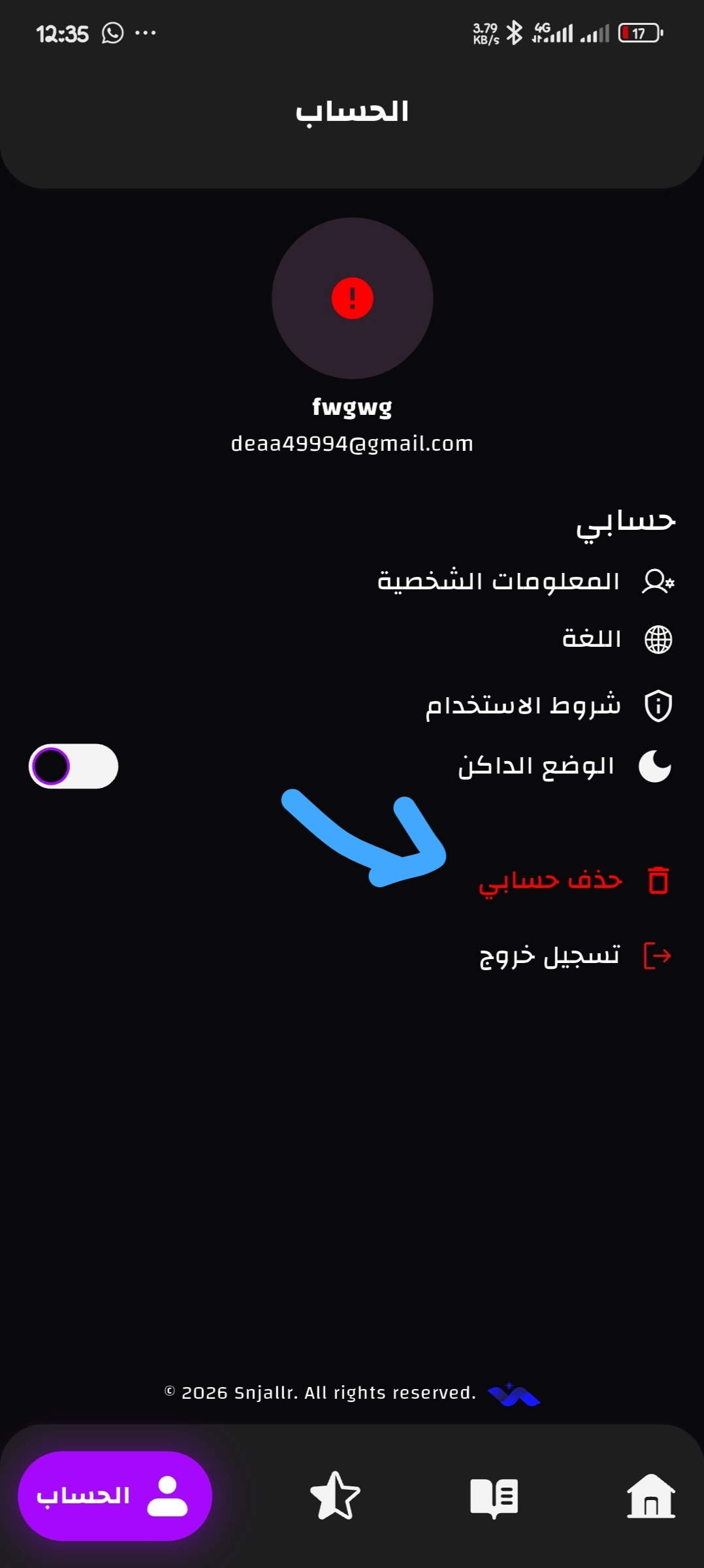
Open the app, tap on "Account" in the bottom navigation bar, then scroll down and tap "Delete My Account".
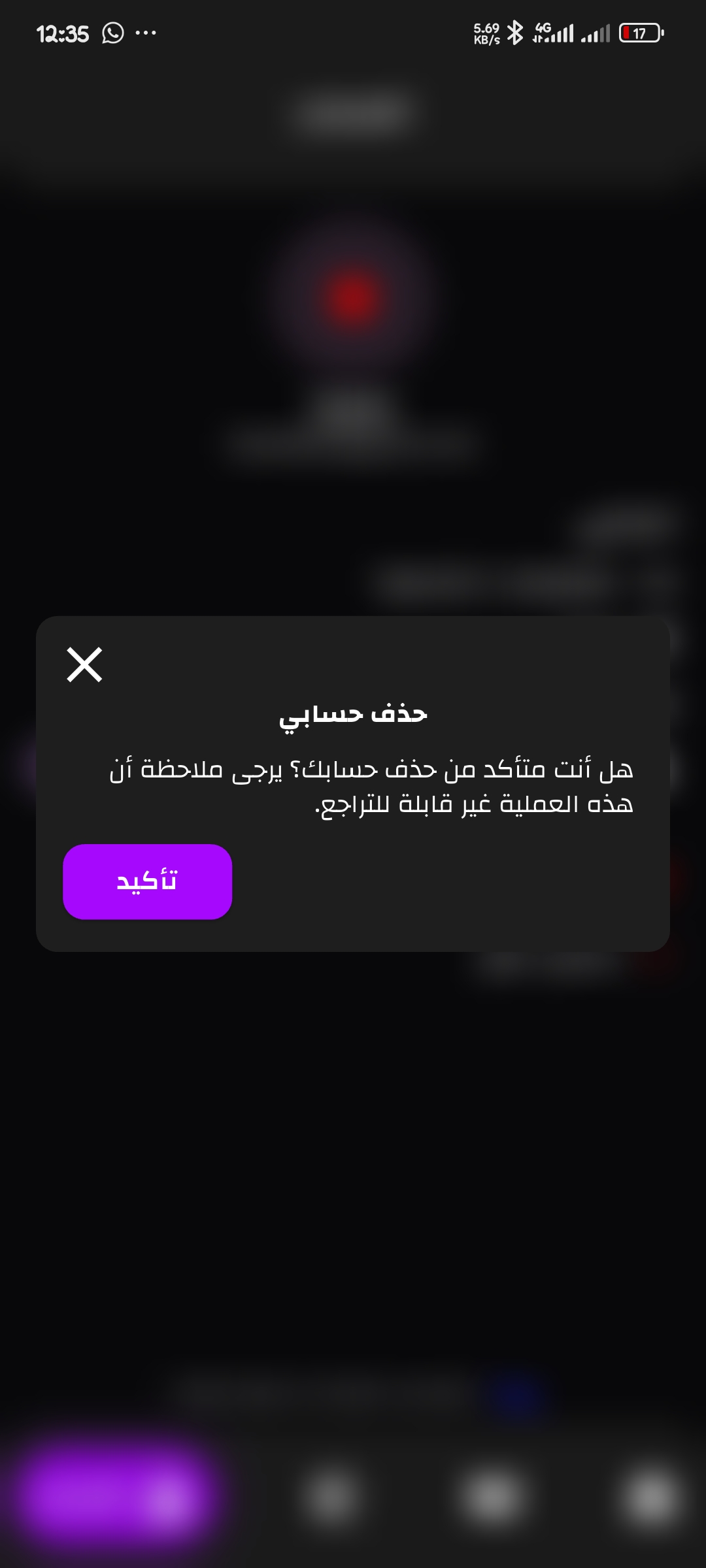
A confirmation dialog will appear. Tap "Confirm" to permanently delete your account. This action cannot be undone.
Having trouble? Contact our support team.
Contact Support